
Zero-Overhead Host
Swift and AppKit. No Electron, no V8, no renderer process. The RAM your terminal was quietly consuming goes back to your agent.
A Mac terminal that takes AI agents seriously.
Run agents side by side, get pinged when one finishes, review the diff in the same window. Your agents get the full machine, without paying framework taxes.
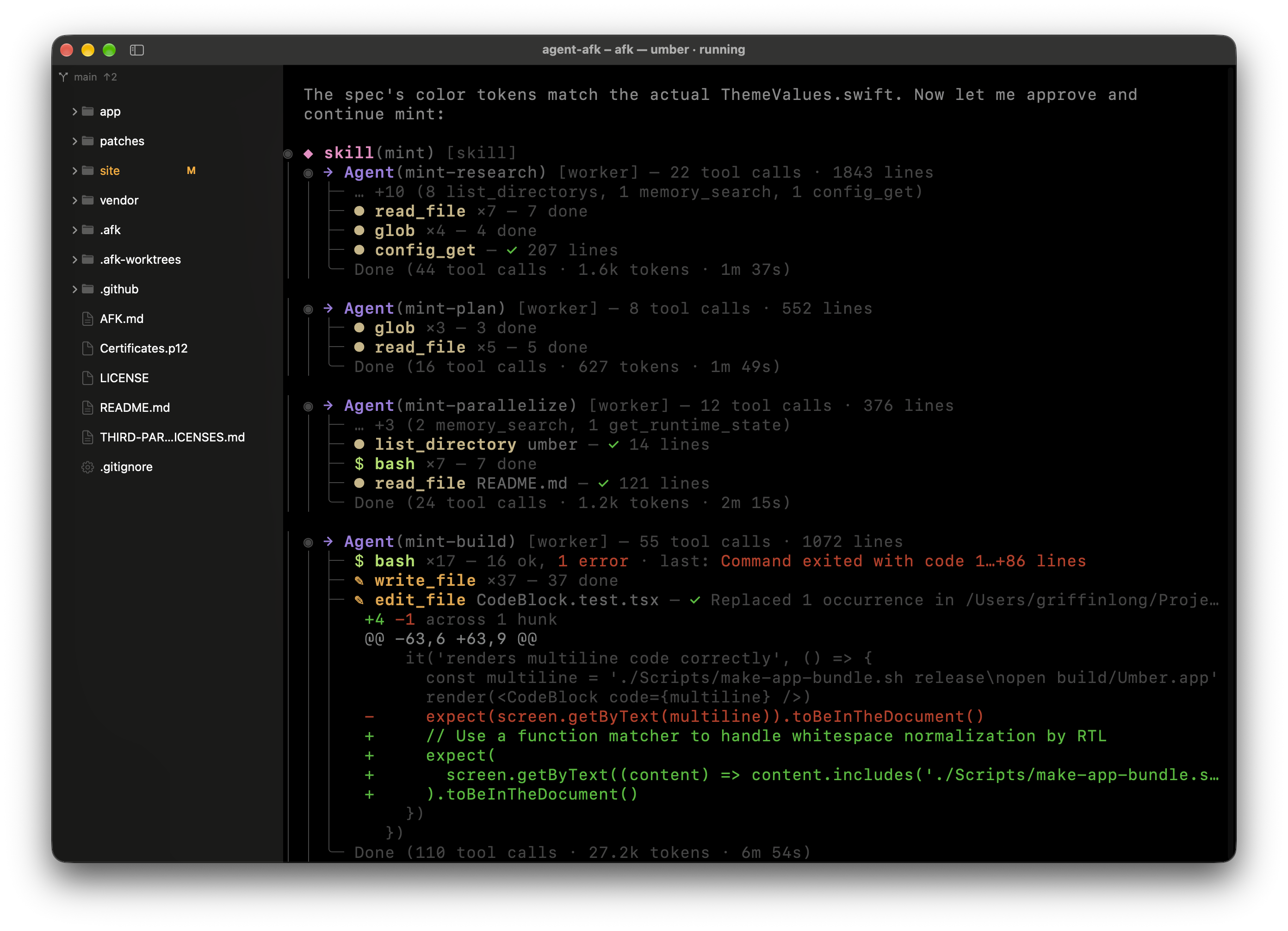
The best agents run in a shell, not a browser tab. Goblin Portal gives them a fast native host, keeps an eye on them while you are elsewhere, and never tries to be one of them.
A command that runs 10 seconds or longer in a background tab sends a macOS notification when it ends: succeeded or failed, and how long it took. Watching a spinner is not a job.
Long-running commands leave a green or red dot on their tab, and a dim one means still going. OSC 133 does the tracking, so nobody has to read scrollback to find out.
Split right with ⌘⇧\, down with ⌘⇧-, up to four panes, and the layout survives a relaunch. ⌘⇧H/J/K/L moves focus, because your hands were already there.
⌘⇧A fuzzy-searches every Space and tab you have open. It is tmux's ctrl-b w, minus the ctrl-b.
The vendored emulator carries twelve patches, including fixes for scrollback reflow, alt-buffer bleed across panes and DCS passthrough. The bugs that usually make tmux inside a terminal app a gamble.
Pasting anything multi-line asks before it runs. Agents write a lot of scripts, and some of them are for you to read first.
Autonomous agent runtime with daemon, Telegram, and REPL surfaces.
Anthropic's terminal-native coding agent. Runs entirely in your shell.
OpenAI's CLI agent for code generation and multi-file edits.
Terminal agent framework with tool use and conversation memory.
The intelligence belongs to your agent. The terminal's job is to stay out of the way.
Swift and AppKit. No Electron, no V8, no renderer process. The RAM your terminal was quietly consuming goes back to your agent.
One Space per project, as many agent sessions inside as you like. Real macOS window tabs, not a reimplemented version of them, and every Space reopens where you left it.
GPU rendering out of the box, paced to the display instead of a free-running timer, so a 60 fps spinner actually gets 60 frames. Core Text is one config line away.
Pixel-smooth trackpad scrolling with real momentum, carried by the OS events rather than a homemade timer. Ten thousand lines of agent output feel like a web page, not a slideshow.
A real Settings window on ⌘, that writes plain JSON, and ⌘R reloads either one live. Click or edit, whichever you trust more.
Closing a tab or window with a running process asks first, naming the jobs. A shell that exits with an error keeps its tab and scrollback, and Return restarts it in the same directory. Default scrollback is 5,000 lines. A bell or notification from a background tab bounces the Dock.
Set "titlebar": "compact" in config.json and the terminal moves into the titlebar band, giving a default-size window two more rows. Stays clear of the traffic lights, sidebar toggle, tab bar, and warning banner. ⌘R switches live.
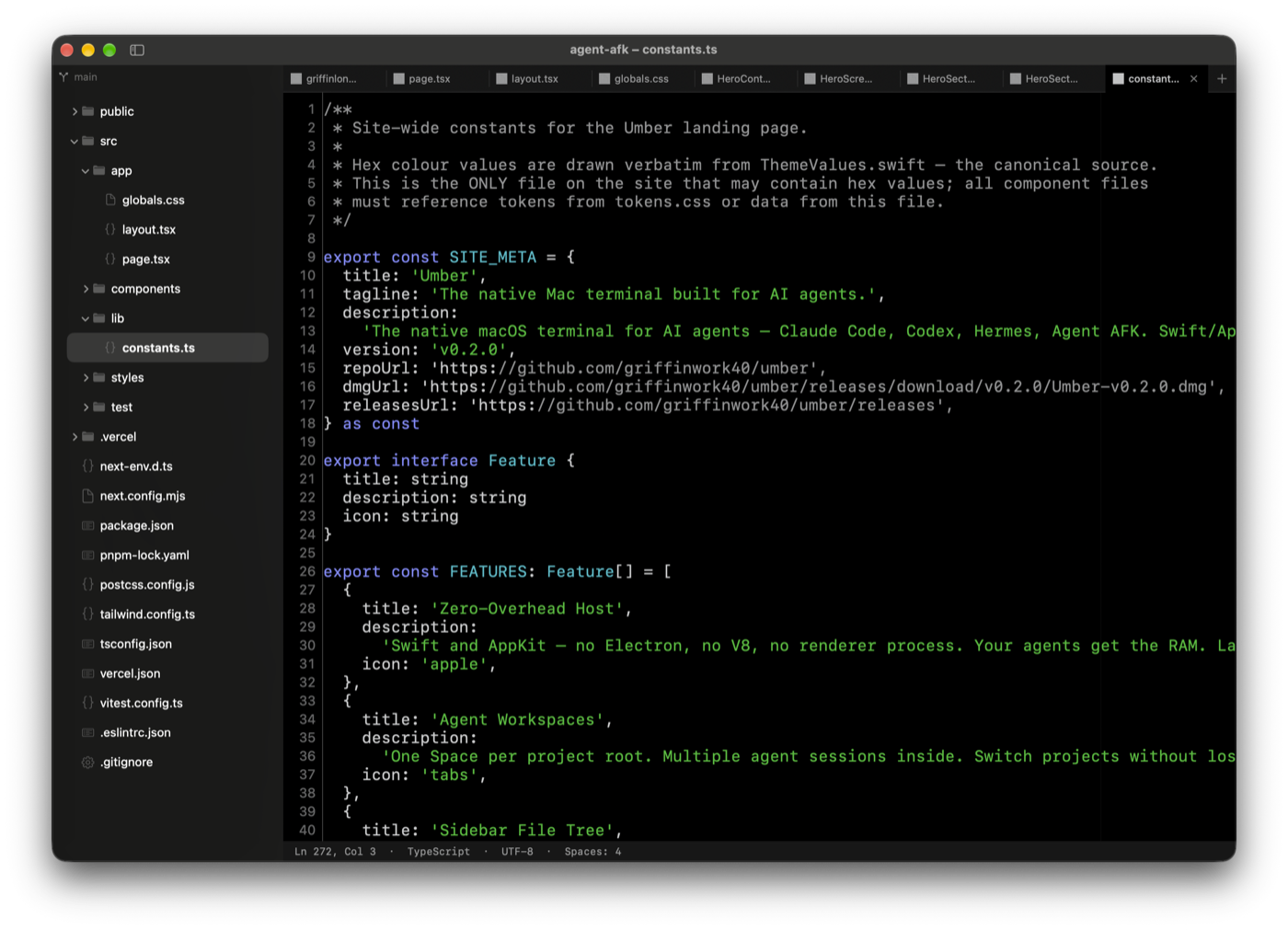
A file tree that follows your shell, a Source Control panel, side-by-side diffs and an editor for the quick fix. Enough to review and edit without switching apps, which is all most people actually need.
The file tree follows the focused shell's working directory by asking the kernel, so no dotfile can break it. Git status on every row, branch and ahead/behind on top.
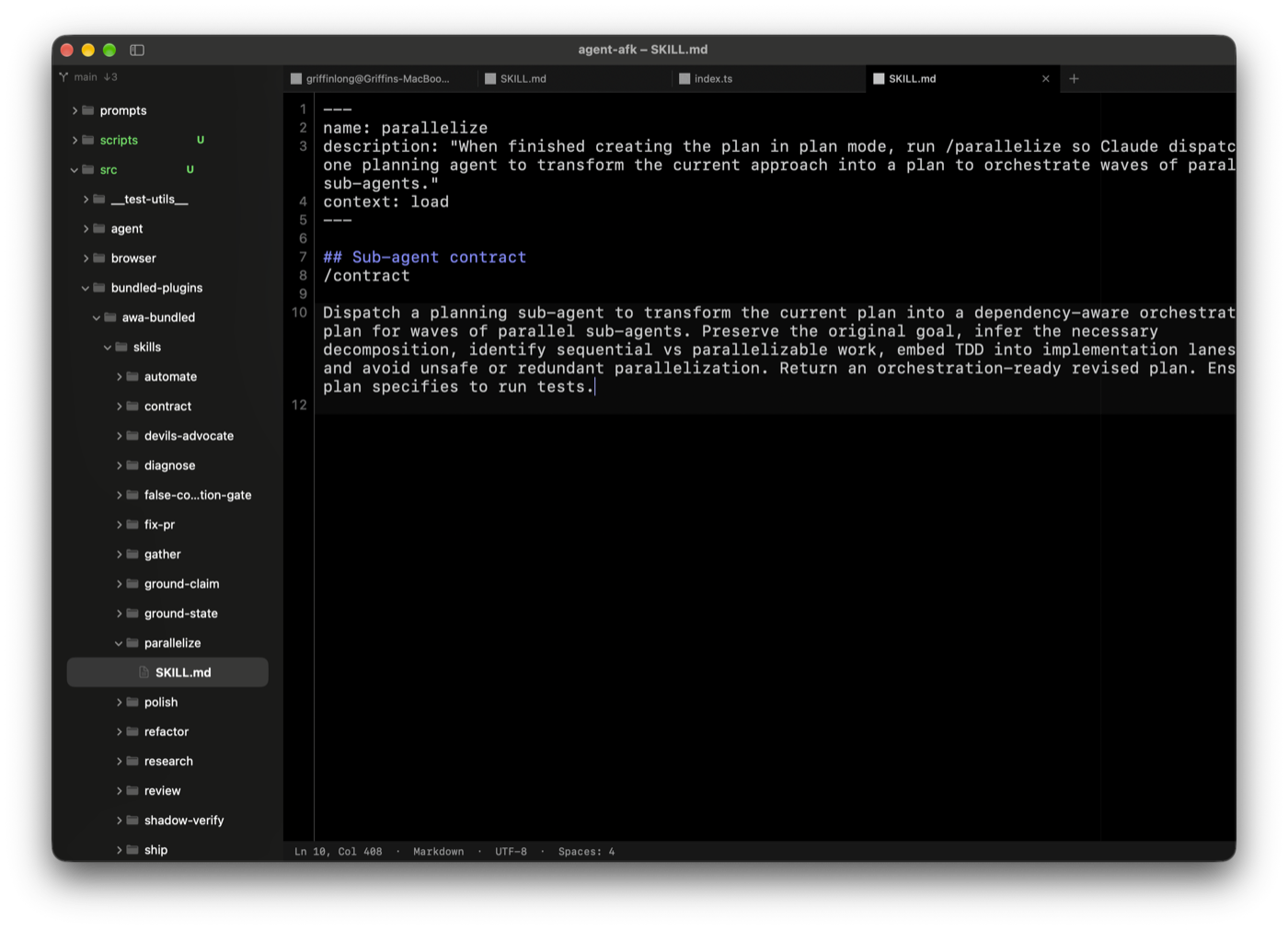
Open a file into an editor tab next to your terminals. Review what your agent wrote, make the fix, get back to work.
⌃⇧G opens a real Source Control panel: stage, unstage, discard (it asks first), commit with ⌘Enter, push and pull. A first push sets the upstream for you.
Click a changed file and get a side-by-side diff with synchronized scrolling. The agent's work, laid out for judgment.
23 languages from a regex tokenizer, not tree-sitter. It may mis-color a raw string literal. It will never ship a grammar binary nobody can read.
⌘⇧P for every command, ⌘⇧O for symbols, ⌘L for a line, ⌘D for the next occurrence. Same muscle memory as VS Code, without VS Code.
October 22, 2026
Tabs now show what is actually happening: the current directory basename when your shell is idle, "command — dir" while a command runs, the remote host when you are connected over SSH, and the multiplexer name inside tmux or screen. Titles update live as you work, with no configuration required.
Commands that report progress — package managers, build tools, and anything that emits OSC 9;4 — now show a coloured bar at the bottom of their tab pill and on the Dock icon. Green for determinate progress, blue for indeterminate, red for error, yellow for paused.
Inline image rendering (OSC 1337 and sixel) is now bounded: payload size is capped, multipart transfers are supported, and malformed input cannot crash the terminal. Unterminated transfers are freed automatically after 120 seconds.
Clicking a split pane now reliably moves focus to it and lights its accent border. Moving focus to the sidebar — file tree or filter field — no longer dims the last-focused terminal pane, so you always know where keyboard input will go.
Modern CLI tools that query terminal capabilities via XTVERSION or use DEC alternate scroll mode now get the right answers. Expect better out-of-the-box behaviour from tools that previously felt slightly off.
Ten palettes ship out of the box. Each one has been run through 560 contrast assertions, because "it looks fine" is not a QA strategy.
The ones worth learning on day one. ⌘⇧P finds everything else.
Download it, drag it to Applications, open it. That is the whole onboarding.
macOS 14+ · Apple silicon · MIT
You read the FAQ. Nobody reads the FAQ.